
AI HEAD SWAP ONLINE
Free AI Head Swap Online
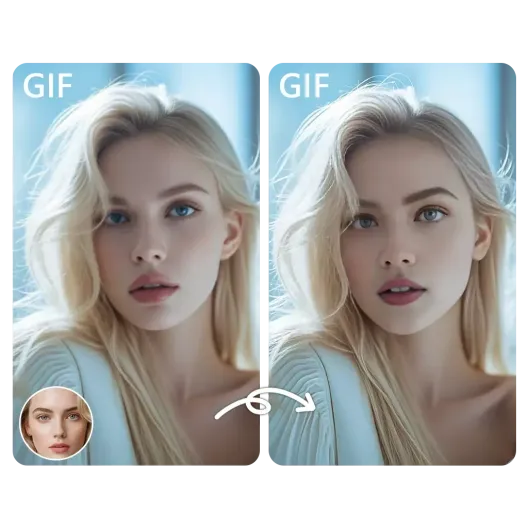
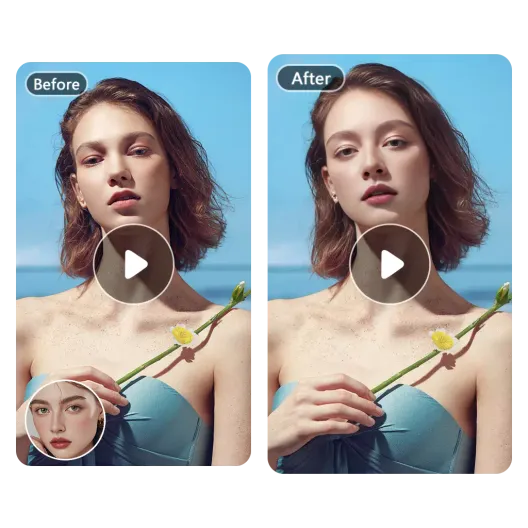
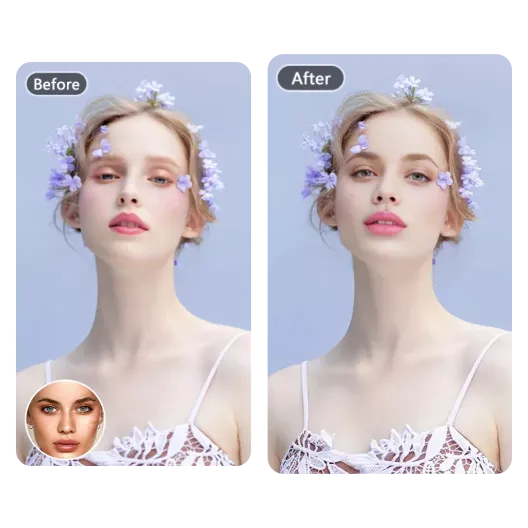
AI head swap online, free to try and no sign-up. Upload a source photo and a replacement head, and Face AI rebuilds the hairline, hair, jawline and neck together, so the result holds up where a face-only swap leaves a visible seam. Free Quota previews carry a small watermark; Credits remove it.
AI Head Swap Online for Free
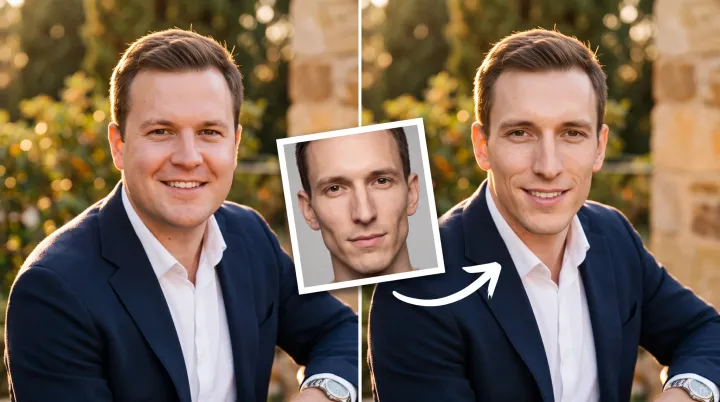
Use the head swap AI tool to replace the entire head, including the face and hair, so the hairline, jawline, and neck transitions look natural.
Loading
Loading tool...
AI Head Swap Online for Free
How to Swap a Head with AI
Three steps. The neck and hairline do most of the work, so the source photo matters more than the settings.
Upload the body photo
Use a photo where the head is fully visible and the neck is clear.
Add the head photo
Pick a head with similar lighting and angle. A front-facing portrait works best.
Swap and check the neck
Look at the hairline and neck first. If the seam shows, try a photo with a similar pose.
Use cases
What a Head Swap Is Actually For
A head swap is not a face swap with more hair. It is the tool you reach for when the hair, hairline, or neck is the part that makes the photo wrong.
The suit photo is good. The hair is not.
Use the head from the day your hair actually cooperated, swap it onto the suit, and skip the expensive headshot session. Nobody needs to know the suit was a rental, and the photo still looks like you on a day when everything worked. The lighting and the angle do most of the work; the rest is just a clean swap.
The hairline from five years ago
You have an old photo where the hair is doing exactly what you want, and a current photo where it is not. Swap that head onto the current picture and see how it looks before you book anything. The face is still yours, and the hair is just a preview of what you are considering.
Why Face AI
Why Use an AI Head Swap
The goal is no visible seam. Similar lighting and angle make the biggest difference, and a clean source head is worth more than a complicated edit.
Hair included
The swap covers the hairline, hair, jawline and neck, not just the face, which is what separates a head swap from a face-only edit.
Neck blending that holds up
The goal is no visible seam. Matching lighting and camera angle between the two photos makes the largest difference.
No Photoshop workflow required
Upload two photos and download the result. There is no masking, layer stack or manual retouching.
Free to try, clean with Credits
Evaluate the result on Free Quota before paying. The preview carries a small mark; Credits produce a clean download.
More scenes
Three More Head Swap Problems
These are the photos people bring to a head swap: the costume is right, the group shot is almost right, or the product shot already works.
The costume was fine. The head was not.
The costume was fine, but the head did not match the character, and explaining the reference to people who do not get it gets old fast. Put the right head on the costume and the cosplay finally looks like the reference photo instead of a very committed Halloween outfit.
One bad expression. One wrong camera.
One person had a bad expression, another was looking at the wrong camera, and the group photo ended up unusable. Swap in the heads where everyone actually looks like themselves, keep the rest of the shot, and the problem turns out to have been the timing rather than the group.
The product shot already works
The product shot already works, so you do not need a new set, a new photographer, or another round of approvals. Put a model's head on it and you have a version for a new market, while the product, the lighting, and the composition stay exactly the same.
Tool comparison
How Face AI Compares
A short comparison for head swaps, where hair coverage and neck blending are the real differentiators.
| Criteria | Face AIMultiple Face Swap | Other Tools |
|---|---|---|
| What changes | Head, hair, face, neck | Face only |
| Price | Free to try; Credits for clean files | Paid or credit-based |
| Sign-up | No account to try | Account required |
| Watermark | Free Quota adds a small mark; Credits remove it | Logo on the free result |
| Output | 1080p | 720p |
| Editing skill | None | Masking or layers |
User Comments
What People Say About Head Swaps
Influencer Partnerships Lead
★★★★★We used it for a campaign mockup where the creator could not fly in. The face held up in the final still, and the client approved it without asking for a reshoot.

Head of Brand Social
★★★★★The useful part is the boring part: upload, map the faces, download. No timeline, no plugins, no explanations for the rest of the team.

Digital Content Director
★★★★★I tested it on an old group photo where one person had their eyes closed. The fix looked natural enough that nobody in the family noticed it was edited.

Social Media Director
★★★★★For reaction content, speed matters more than perfection. A short clip with one clear face gives us something postable while the idea is still fresh.

Performance Marketing Manager
★★★★★We localize ad creatives for different markets. Swapping a face in an existing shot is faster than booking another shoot day, and the lighting stays consistent.

Client Success Director
★★★★★I like that the limits are stated up front. Five free seconds, a file size cap, and a clear watermark rule are easier to work with than vague promises.

Product Marketing Manager
★★★★★Our team keeps a folder of approved portraits. When a launch needs a quick visual, we can put a real face into a scene without opening Photoshop.

Head of Growth
★★★★★The free preview is enough to judge whether the idea works. We only move to Credits when the clip is ready for a paid channel.

Creative Director
★★★★★Most tools give you one hard-edged result and call it a day. Here the better workflow is to try a clearer portrait, then keep the version that still looks like the person.

Head of Strategy
★★★★★A group shot with one fixed face and five untouched ones looks like a mistake. Mapping every person in the same pass is what makes the final image believable.

E-commerce Director
★★★★★We use face swaps for internal concept boards, not for final product claims. As a fast visual reference, it saves a surprising amount of back-and-forth.

Head of Marketplace Operations
★★★★★The mobile browser workflow is the reason I kept using it. I can test an idea on my phone and send the result to the team before I get back to my desk.

Digital Marketing Director
★★★★★Short GIF loops are the hardest format to keep clean. Slower loops and a larger face give the most consistent frames in my experience.

Art Director
★★★★★I treat it as a sketch tool. It gets me a believable face in the right scene, and then I decide whether the concept deserves a full production.

Help Center
AI Head Swap Questions
Answers on head vs face swaps, hair, neck blending and file limits.
A face swap replaces the face. A head swap (sometimes written headswap) replaces the whole head, including hair and the hairline, and blends the neck.
Head swap AI (also written headswap AI or AI headswap) is a full head swap rather than a face-only edit: it replaces the hair and hairline and blends the neck into the new photo.
Yes. An AI head swap with hair covers the hairline, hair, jawline, and neck.
Yes. Use a clean body photo and a head photo with even light.
This page is for photos. Use the GIF or video face swap tools for motion.
It can, especially when the angle and lighting match. If the neck seam shows, try a photo with a similar pose.
Yes. You can try a free AI head swap online without paying.
No account is needed to try the free quota. Credits require an account because they are tied to your balance.
Free Quota results include a small watermark. Use Credits for a clean download.
Uploads are used only for the swap. Download the result when it is ready.
Only if you own both photos and have permission from the people in them.
Swap a head in your photo
Upload a body photo and a head photo, then download the result. Credits remove the watermark.
- No Credit Card Required