Startpunkt
Unser
Eine geschriebene Bewegung, plus ein Foto, wenn das Motiv deins sein muss.
Animationssoftware
Ein Projekt, eine Zeitleiste, Ebenen und Keyframes.
Beschreibe die Bewegung oder lade ein Foto hoch – GPT Image 2.6 macht daraus ein kurzes Endlos-GIF. Wähle einen Stil, sieh dir den Loop an und lade ihn in Sekunden herunter. Kostenlos testbar, keine Designkenntnisse nötig.

Vertraut von über 12.000.000 Nutzern weltweit. Entwickelt für kurze Endlos-GIFs mit GPT Image 2.6 – nicht für komplette Animationsbearbeitung, Rigging oder Zeitleisten-Arbeit.
Halte die Bewegung kurz und klar: ein Motiv, eine Kameraperspektive, ein Loop.
Schreib auf, was passieren soll, oder lade ein Foto hoch, wenn es deine Figur, dein Haustier oder dein Produkt sein muss.
Wähle den gewünschten Look. Soll die Bewegung langsamer oder schneller sein, schreib es in die Beschreibung.
Sieh dir an, wie der Loop abläuft, und lade das GIF dann herunter – für Chat, Folien, Social-Posts oder eine Landingpage.
Nutze ihn, wenn ein kurzer Loop mehr sagt als ein Standbild.

Beschreibe einen Gefühlswechsel, statt in Reaktions-Bibliotheken zu suchen. Ein kleines Nicken, ein Seufzen oder ein zweiter Blick genügt.
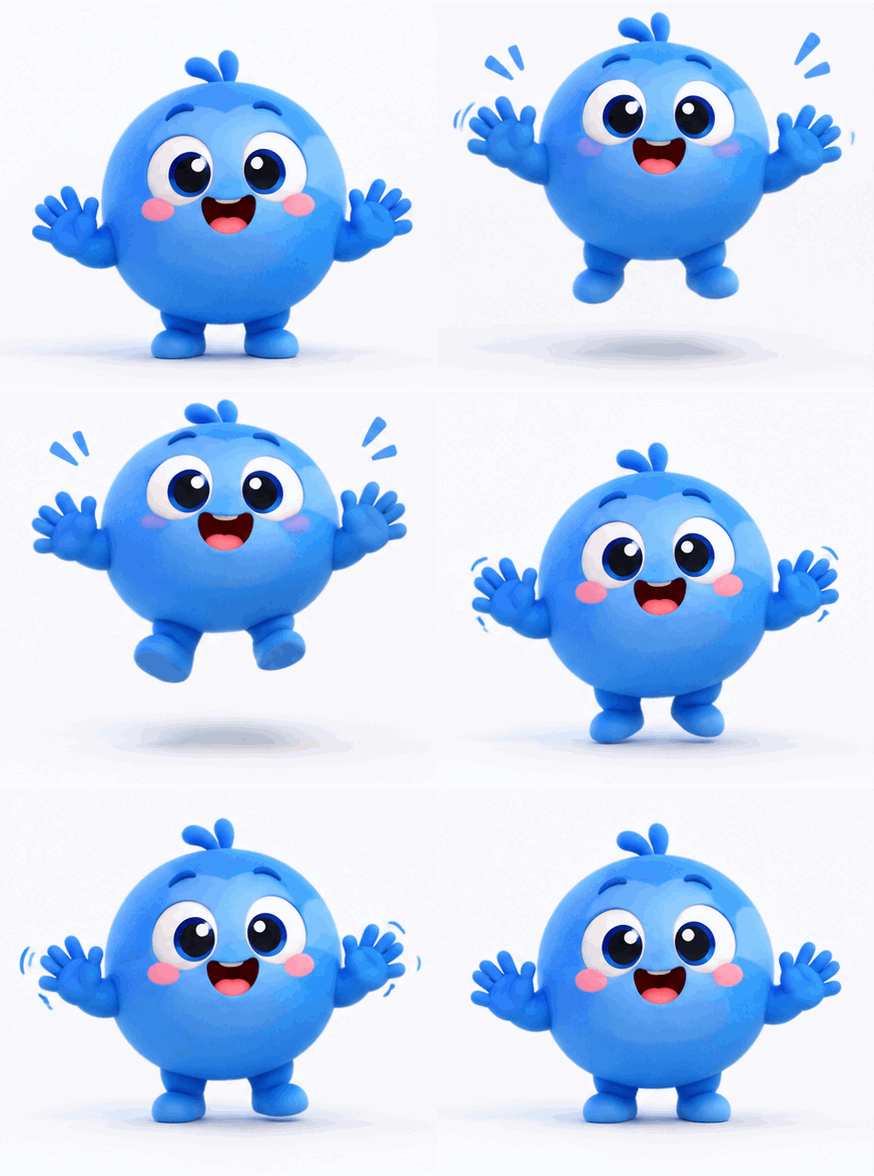
Lass ein Maskottchen winken, hüpfen oder blinzeln. Halte Figur und Hintergrund ruhig, damit der Loop sauber wirkt.
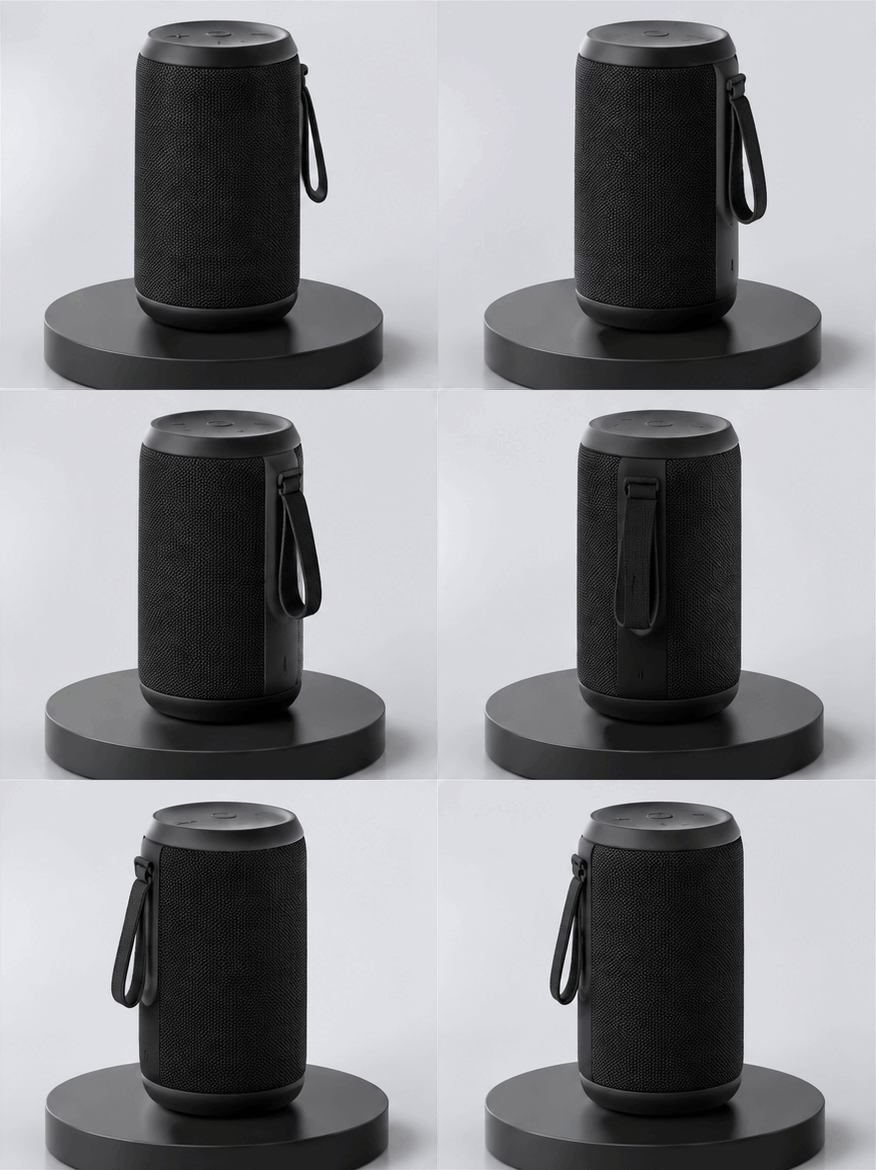
Eine kleine Drehung, ein Puls oder ein Aufdecken ergeben ein leichtes Bewegungs-Asset für Versionshinweise und Landingpages.

Ein Loop zieht Aufmerksamkeit auf sich, ohne so schwer zu sein wie eine Videodatei. Ideal für schnelle Updates und Kampagnen-Posts.
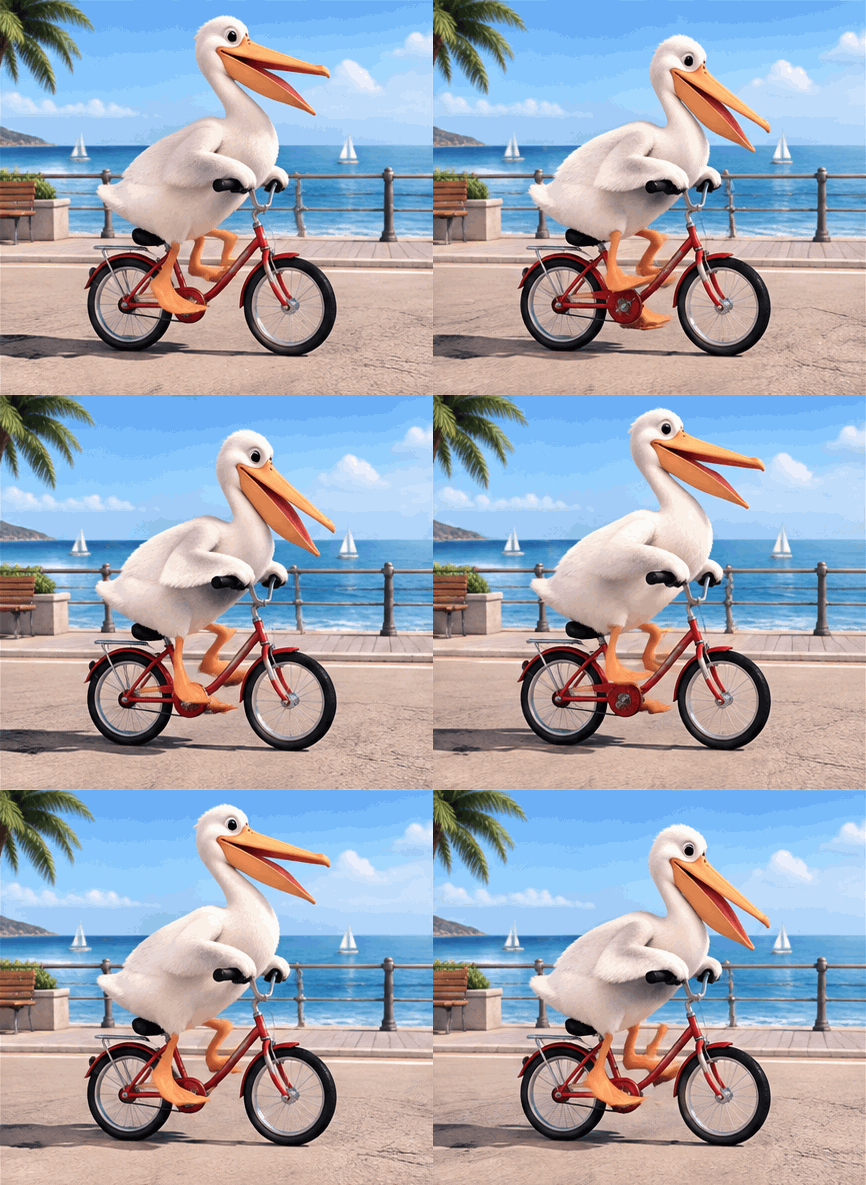
Der klassische KI-Test-Prompt: ein Vogel, ein Fahrrad, ein Loop. Tipp es ein und schau, wie das Modell eine lustige, ganz konkrete Szene umsetzt.
Er verwandelt eine geschriebene Idee oder ein Foto in ein kurzes animiertes GIF, bereit zur Vorschau und zum Download.
Schreib auf, was passieren soll, und der Generator erstellt das Motiv. Der schnellste Weg für Reaktions-GIFs und Maskottchen-Loops.
Lade ein Foto hoch, und dieselbe Figur, dasselbe Haustier oder Produkt bleibt im Loop, statt neu erfunden zu werden.
Sieh dir den Loop an, lade die Datei herunter und teile sie in Chat, Folien oder Social-Posts.
Die Seite kann eines richtig gut: deine Idee in einen teilbaren Loop verwandeln.
Wenn du die Bewegung beschreiben kannst, kannst du das GIF erstellen. Keine Keyframes, keine Ebenen, keine Zeitleiste.
Lade ein Foto hoch, und dieselbe Figur oder dasselbe Produkt behält im ganzen Loop seinen Look.
Starte mit dem täglichen Freikontingent und nutze nur dann Credits, wenn du mehr brauchst.
Nutze für lange Sequenzen, präzises Timing, Ton oder Charakter-Rigging ein eigenes Animationstool.
Nutze diese Seite für einen schnellen, kurzen Loop. Nutze Animationssoftware für Produktionsarbeit.
| Kriterium | Face AIUnser Face AI GIF-Workflow | Animationssoftware |
|---|---|---|
| Startpunkt | Eine geschriebene Bewegung, plus ein Foto, wenn das Motiv deins sein muss. | Ein Projekt, eine Zeitleiste, Ebenen und Keyframes. |
| Nötige Fähigkeiten | Beschreibe die Bewegung und wähle einen Stil. | Fähigkeiten in Animation, Timing und Rigging. |
| Zeit bis zum ersten Ergebnis | Sekunden bis zu einer Vorschau, die du herunterladen kannst. | Minuten bis Stunden bis zum ersten Render. |
| Ausgabe | Ein kurzes Endlos-GIF. | MP4, WebM, GIF, Bildsequenzen und Projektdaten. |
| Beste Nutzung | Reaktionen, Maskottchen, Produkt-Teaser und Social-Posts. | Kommerzielle Animation, präzises Timing und lange Sequenzen. |
| Grenzen | Nur kurze Loops, gerendert mit 1K. | Volle Kontrolle, aber mehr Zeit und Können nötig. |
Eine geschriebene Bewegung, plus ein Foto, wenn das Motiv deins sein muss.
Ein Projekt, eine Zeitleiste, Ebenen und Keyframes.
Beschreibe die Bewegung und wähle einen Stil.
Fähigkeiten in Animation, Timing und Rigging.
Sekunden bis zu einer Vorschau, die du herunterladen kannst.
Minuten bis Stunden bis zum ersten Render.
Ein kurzes Endlos-GIF.
MP4, WebM, GIF, Bildsequenzen und Projektdaten.
Reaktionen, Maskottchen, Produkt-Teaser und Social-Posts.
Kommerzielle Animation, präzises Timing und lange Sequenzen.
Nur kurze Loops, gerendert mit 1K.
Volle Kontrolle, aber mehr Zeit und Können nötig.
Diese Kommentare fokussieren den praktischen Ablauf: beschreiben oder hochladen, erstellen, Vorschau, Download.
"I describe a small action and get a looping GIF I can drop into a prototype. It is much faster than hand-drawing a short animation."
Mara Ellison
Indie Game Artist
"I use it for quick moodboards. A short loop shows the idea better than a still frame, and I can show three directions in the time it used to take for one."
Tobias Lang
Motion Designer
"A looping GIF travels better than a video in some feeds. Making one from a description without opening an editor saves a whole afternoon."
Priya Raman
Social Media Manager
"I make a short product loop for release notes. Same idea, one prompt, download, done."
Daniel Cho
Product Marketer
"I upload a sketch and get a small loop of my own character. That is the part I actually need for client previews."
Sofia Marchetti
Illustrator
"The result downloads right away. No extra software, no second export step."
Kenji Watanabe
Creative Technologist
"I describe a small action and get a looping GIF I can drop into a prototype. It is much faster than hand-drawing a short animation."
Mara Ellison
Indie Game Artist
"I use it for quick moodboards. A short loop shows the idea better than a still frame, and I can show three directions in the time it used to take for one."
Tobias Lang
Motion Designer
"A looping GIF travels better than a video in some feeds. Making one from a description without opening an editor saves a whole afternoon."
Priya Raman
Social Media Manager
"I make a short product loop for release notes. Same idea, one prompt, download, done."
Daniel Cho
Product Marketer
"I upload a sketch and get a small loop of my own character. That is the part I actually need for client previews."
Sofia Marchetti
Illustrator
"The result downloads right away. No extra software, no second export step."
Kenji Watanabe
Creative Technologist
"Reaction GIFs are a normal part of community posts. This lets me describe the reaction instead of searching for an existing clip."
Hannah Brooks
Community Manager
"I describe a small action and get a looping GIF I can drop into a prototype. It is much faster than hand-drawing a short animation."
Mara Ellison
Indie Game Artist
"I use it for quick moodboards. A short loop shows the idea better than a still frame, and I can show three directions in the time it used to take for one."
Tobias Lang
Motion Designer
"A looping GIF travels better than a video in some feeds. Making one from a description without opening an editor saves a whole afternoon."
Priya Raman
Social Media Manager
"I make a short product loop for release notes. Same idea, one prompt, download, done."
Daniel Cho
Product Marketer
"I upload a sketch and get a small loop of my own character. That is the part I actually need for client previews."
Sofia Marchetti
Illustrator
"The result downloads right away. No extra software, no second export step."
Kenji Watanabe
Creative Technologist
"Reaction GIFs are a normal part of community posts. This lets me describe the reaction instead of searching for an existing clip."
Hannah Brooks
Community Manager
"I make short loops for slides. Small files, clear motion, no editing skills needed."
Luis Ortega
Teacher
"It makes a short loop and says so. I know exactly when to open a real animation tool instead."
Amelia Frost
Brand Designer
"For landing pages and demo decks, a tiny looping visual beats a static screenshot. One prompt is faster than briefing a designer."
Ravi Menon
Startup Founder
"A wink, a bounce, a small hand wave: short actions look great as a loop, and the download is instant."
Elise Dupont
Content Creator
"During a jam, placeholder animation matters more than polish. Teams get something moving to test with in minutes."
Noah Williams
Game Jam Organizer
"I use the GIF as a lightweight prototype of an interaction, not as final art."
Yuna Park
UI Designer
"A talking-head clip is overkill for a newsletter. A short generated loop teases the episode without a heavy video file."
Owen Clarke
Podcast Producer
"I make short loops for slides. Small files, clear motion, no editing skills needed."
Luis Ortega
Teacher
"It makes a short loop and says so. I know exactly when to open a real animation tool instead."
Amelia Frost
Brand Designer
"For landing pages and demo decks, a tiny looping visual beats a static screenshot. One prompt is faster than briefing a designer."
Ravi Menon
Startup Founder
"A wink, a bounce, a small hand wave: short actions look great as a loop, and the download is instant."
Elise Dupont
Content Creator
"During a jam, placeholder animation matters more than polish. Teams get something moving to test with in minutes."
Noah Williams
Game Jam Organizer
"I use the GIF as a lightweight prototype of an interaction, not as final art."
Yuna Park
UI Designer
"A talking-head clip is overkill for a newsletter. A short generated loop teases the episode without a heavy video file."
Owen Clarke
Podcast Producer
Wähle das nächste Tool je nach eigentlichem Problem: die Figur gestalten, das Standbild erstellen oder einen vorhandenen Clip umwandeln.

Create the still version of the same idea, then animate it as a loop here.
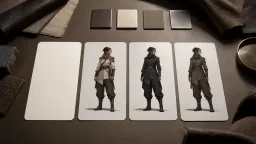
Design a consistent character first, then give it a small action and a loop.
Explore mark directions as still concepts when motion is not the goal.
Already have a clip? Trim it and export a GIF without generating new frames.
Antworten zu Text- und Foto-Eingabe, GPT Image 2.6, Loop-Länge, Qualität, kostenloser Nutzung und wann Animationssoftware sinnvoll ist.
Beschreibe die Bewegung oder lade ein Foto hoch, wähle einen Stil und erstelle dann das GIF. Die Loop-Vorschau erscheint im Workspace, und du kannst das GIF direkt herunterladen.
Ja. Schreib die Bewegung in das Prompt-Feld und überspringe den Upload. Nur Text ist der schnellere Weg und funktioniert gut für Reaktions-GIFs und Maskottchen-Loops.
Ja. Lade ein Foto deiner Figur, deines Haustiers oder Produkts hoch, beschreibe die Bewegung, und das GIF behält dieses Motiv. Ohne Foto erstellt der Generator das Motiv aus deiner Beschreibung.
Nenne das Motiv, die Umgebung und eine klare Bewegung wie ein Winken, ein Hüpfen oder ein Lächeln. Kurze, klare Bewegung loopt besser als eine komplexe Szene.
Der Download ist ein Standard-Endlos-GIF, es wiederholt sich also in Chat-Apps, Folien und Seiten, die GIF-Wiedergabe unterstützen. Manche Apps komprimieren oder wandeln es um – sieh dir die Vorschau nach dem Hochladen also an.
GIFs werden mit 1K gerendert. So bleibt die Datei klein genug zum Teilen und auf Bildschirmen trotzdem scharf.
Beschreibe das Tempo im Prompt, zum Beispiel ein langsames Winken oder ein schnelles Hüpfen. Das GIF wird als kurzer Loop erstellt – je kleiner die Bewegung, desto sauberer das Ergebnis.
Die Animation wird generiert, daher können kleine Unterschiede bei Ausdruck, Licht oder Pose entstehen. Einfachere Bewegungen und ein ruhiger Kamerawinkel ergeben sauberere Loops.
Nein. GIF ist ein Bildformat ohne Audio.
Ja. Die Seite nutzt dasselbe tägliche Freikontingent wie unsere anderen Bildtools; weitere Generierungen verbrauchen Credits zum festen Satz.
GPT Image 2.6 ist die neuere Version und diejenige, die diese Seite für jedes neue GIF nutzt. GPT Image 2.5 ist die Vorgängerversion; Bilder, die du früher woanders auf Face AI erstellt hast, können von ihr stammen. Hier funktionieren Text- und Foto-Eingabe gleich.
Dein Foto und dein Prompt werden zur Erstellung des GIFs verwendet und vom selben Face-AI-Erstellungsdienst verarbeitet wie bei unseren anderen Bildtools.
Nutze nur Inhalte, die dir gehören oder die du verwenden darfst. Vermeide Logos, echte Markenzeichen, Promi-Abbilder und urheberrechtlich geschützte Figuren.
Nutze einen Editor für lange Sequenzen, präzises Timing, Ebenen, Ton, Charakter-Rigging oder einzelbildgenaue Produktionsarbeit.
Beschreibe eine kurze Bewegung oder lade ein Foto hoch, erstelle den Loop und lade das GIF herunter. Kostenlos testbar.