起点
我们
多张商品参考图,加上商品图目标、渠道、拍摄方向、比例与提示词。
其他工作流
影棚拍摄从实体制作开始;通用提示词常常没有商品参考图。
上传商品参考图,制作电商风格的图片草稿:白底图、影棚场景、桌面摆拍、生活方式图库、落地页与社媒广告图。选择图片目标、投放渠道与拍摄方向,发布前先下载最好的结果进行核对。

全球已有超过 12,000,000 位用户信赖。
让第一次尝试保持实用:上传一张清晰的商品照片,选择电商用途,发布到店铺或平台前先核对结果。
使用 1-4 张商品或细节清晰可见的参考图。如果源场景杂乱或分散注意力,先移除背景。
选择与你所需草稿匹配的图片目标、平台/店铺/广告渠道与拍摄方向。
预览商品图草稿,手动检查标签与几何形状,然后下载最好的结果,或尝试另一个方向。
把商品参考图变成电商草稿:店铺图库、平台 listing、发布营销、社媒创意与商品内容测试。
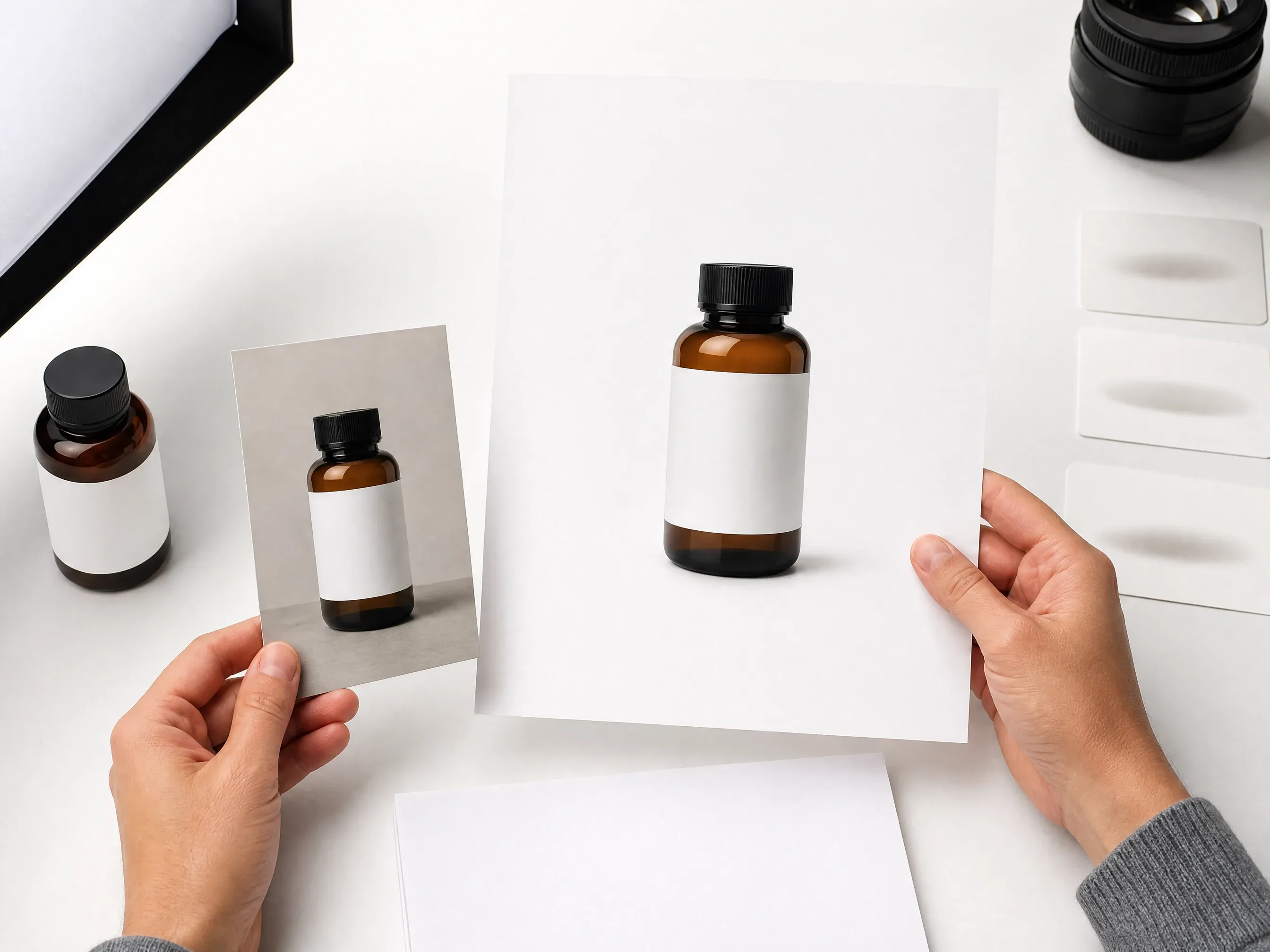
为目录核对、商品页与平台风格的主图概念创建干净居中的商品图。

把商品放在大理石、木纹、织物、石材或柔和色块等简洁台面上,配写实的光影方向。

为 Instagram、付费社媒、发布预告、邮件 banner 与创作者帖子生成以商品为主的营销视觉,不必为每个创意另约拍摄。

当源背景分散注意力时,先移除背景,再创建场景,最后在店铺核对前增强保留版本。
AI 商品图生成器以商品参考图为来源,围绕它创建新的电商风格图片草稿。
从能清晰看出商品形状、材质与边缘的原图开始。
选择白底影棚、桌面摆拍、生活方式、户外、奢华、季节、简约或社媒广告方向。
把结果当作创意草稿,发布前手动核对标签、logo、几何形状与平台规则。
页面从一个在线商品图工作台开始,再叠加电商专属控制项,让卖家不必从零描述整个场景。
上传、图片目标、渠道、拍摄方向、比例、示例、历史记录与下载路径都贴合商品图工作。
白底影棚、桌面摆拍、生活方式、奢华、社媒广告与图库变体,能生成有用的初稿。
当下一个瓶颈明确时,可切换到背景移除、背景替换、照片增强、图片编辑器或图片生成器。
把结果当作商品场景草稿。发布前核对包装、标签文字、几何形状与平台要求。批量目录与店铺同步需要专用电商工具。
当源商品干净、目标场景明确、且对保真敏感的细节在使用前经过核对时,商品图效果最好。
避免模糊的供应商图片、被裁切的边缘、浓重的阴影以及被道具遮挡的商品。
如果源背景与商品争抢注意力,在生成新场景前先做一张干净的抠图。
说出大理石台面、暖色木纹、浴室置物架、影棚阴影、户外日光或邮件 banner,而不是模糊的风格词。
发布前手动检查包装文字、logo、成分表、反光、透明材质与商品几何形状。
当你需要基于商品参考图快速生成电商商品图草稿时,使用 Face AI。当精确的商品保真度、批量工作流或店铺同步是核心需求时,使用传统摄影或专用电商平台。
| 对比项 | Face AI我们 Face AI 商品图工作流 | 其他工作流 |
|---|---|---|
| 起点 | 多张商品参考图,加上商品图目标、渠道、拍摄方向、比例与提示词。 | 影棚拍摄从实体制作开始;通用提示词常常没有商品参考图。 |
| 控制面 | 图片目标、渠道目标、拍摄方向、比例、历史记录、下载与配套工具。 | 普通图片生成器把大部分电商结构都留给提示词本身。 |
| 最佳用途 | 白底创意、桌面场景、生活方式草稿、社媒创意、落地页视觉与图库实验。 | 严格商品锁定、批量目录、自动发布或店铺同步,专用电商工具可能更合适。 |
| 保真度边界 | 生成商品图草稿,不保证商品锁定、可读包装文字、精确几何形状或合规文件。 | 在最终商品保真度上,传统拍摄与人工设计核对仍然更好。 |
| 规模边界 | 单商品交互式生成,带共享历史记录与下载。 | 批量 SKU 生成与店铺自动化超出了这个单商品工作台的范畴。 |
| 摩擦成本 | 基于浏览器的创作,无需预约影棚、无需为初稿安装设计软件。 | 完整制作控制力更强,但在第一张视觉出现前需要更多协调。 |
多张商品参考图,加上商品图目标、渠道、拍摄方向、比例与提示词。
影棚拍摄从实体制作开始;通用提示词常常没有商品参考图。
图片目标、渠道目标、拍摄方向、比例、历史记录、下载与配套工具。
普通图片生成器把大部分电商结构都留给提示词本身。
白底创意、桌面场景、生活方式草稿、社媒创意、落地页视觉与图库实验。
严格商品锁定、批量目录、自动发布或店铺同步,专用电商工具可能更合适。
生成商品图草稿,不保证商品锁定、可读包装文字、精确几何形状或合规文件。
在最终商品保真度上,传统拍摄与人工设计核对仍然更好。
单商品交互式生成,带共享历史记录与下载。
批量 SKU 生成与店铺自动化超出了这个单商品工作台的范畴。
基于浏览器的创作,无需预约影棚、无需为初稿安装设计软件。
完整制作控制力更强,但在第一张视觉出现前需要更多协调。
这些评价聚焦于实用闭环:上传商品参考图,选择图片目标与渠道控制,生成,对比历史记录,发布前核对。
"这个页面从商品图选项开始,而不是一个空白提示框。上传、图片目标、渠道、拍摄方向、比例与核对限制在第一次运行前都可见。"
Mei Chen
电商总监
"我用白色影棚与桌面预设做 listing 草稿,然后在团队核对标签与边缘前,在历史记录里对比最强的几个版本。"
Yuki Tanaka
电商平台运营负责人
"高级发布与社媒广告方向是很有用的 moodboard 起点。它不会假装生成的标签就是最终包装设计。"
Soyeon Kim
线上零售副总裁
"平台预设被定位成草稿,这非常正确。发布前我们仍会核对 Amazon、Shopify 与 Etsy 的规则。"
Wenjing Li
首席营销官
"背景优先的配套步骤在供应商图片杂乱时很有帮助。先移除杂乱,再生成场景,第三步增强保留版本。"
Priya Chen
创意策略主管
"做商品发布时,我可以从一张单包图直接走向白底、桌面、生活方式与邮件 banner 概念,而不必再约一次拍摄。"
Jieun Park
增长营销负责人
"这个页面从商品图选项开始,而不是一个空白提示框。上传、图片目标、渠道、拍摄方向、比例与核对限制在第一次运行前都可见。"
Mei Chen
电商总监
"我用白色影棚与桌面预设做 listing 草稿,然后在团队核对标签与边缘前,在历史记录里对比最强的几个版本。"
Yuki Tanaka
电商平台运营负责人
"高级发布与社媒广告方向是很有用的 moodboard 起点。它不会假装生成的标签就是最终包装设计。"
Soyeon Kim
线上零售副总裁
"平台预设被定位成草稿,这非常正确。发布前我们仍会核对 Amazon、Shopify 与 Etsy 的规则。"
Wenjing Li
首席营销官
"背景优先的配套步骤在供应商图片杂乱时很有帮助。先移除杂乱,再生成场景,第三步增强保留版本。"
Priya Chen
创意策略主管
"做商品发布时,我可以从一张单包图直接走向白底、桌面、生活方式与邮件 banner 概念,而不必再约一次拍摄。"
Jieun Park
增长营销负责人
"最好的结果来自点明拍摄方向:暖色大理石、干净白色影棚、生活方式货架或色块,胜过模糊的高级语言。"
Lingling Zhao
数字商务经理
"这个页面从商品图选项开始,而不是一个空白提示框。上传、图片目标、渠道、拍摄方向、比例与核对限制在第一次运行前都可见。"
Mei Chen
电商总监
"我用白色影棚与桌面预设做 listing 草稿,然后在团队核对标签与边缘前,在历史记录里对比最强的几个版本。"
Yuki Tanaka
电商平台运营负责人
"高级发布与社媒广告方向是很有用的 moodboard 起点。它不会假装生成的标签就是最终包装设计。"
Soyeon Kim
线上零售副总裁
"平台预设被定位成草稿,这非常正确。发布前我们仍会核对 Amazon、Shopify 与 Etsy 的规则。"
Wenjing Li
首席营销官
"背景优先的配套步骤在供应商图片杂乱时很有帮助。先移除杂乱,再生成场景,第三步增强保留版本。"
Priya Chen
创意策略主管
"做商品发布时,我可以从一张单包图直接走向白底、桌面、生活方式与邮件 banner 概念,而不必再约一次拍摄。"
Jieun Park
增长营销负责人
"最好的结果来自点明拍摄方向:暖色大理石、干净白色影棚、生活方式货架或色块,胜过模糊的高级语言。"
Lingling Zhao
数字商务经理
"页面在商品锁定与精确 logo 保真上很诚实。这让结果更容易作为创意草稿使用,又不会让制作团队混淆。"
Rafael Santos
创意副总裁
"Instagram 广告与邮件 banner 目标,帮助非设计的团队成员用正确的裁切与留白来简报商品视觉。"
Charlotte Beaumont
内容运营总监
"一次一个商品是个好边界。批量 SKU 自动化需要不同的工作流与成本模型。"
Mika Suzuki
效果营销总监
"历史记录很适合对比场景路线:干净电商、生活方式房间、户外语境与季节营销,感觉各不相同。"
Yifan Zheng
需求生成主管
"关于小标签、反光材质与透明包装的核对清单,对真实店铺非常实用。"
Xiaofang Wang
高级营销策略师
"它比通用图片生成器更好,因为控制项贴合电商工作:平台、店铺页面、社媒广告、发布主图与商品图库。"
Margherita Conti
视觉陈列负责人
"我用它做以商品为主的快速社交概念,然后在生成器外部补充精确文案与平台专属版式。"
Alice Cooper
零售营销总监
"页面在商品锁定与精确 logo 保真上很诚实。这让结果更容易作为创意草稿使用,又不会让制作团队混淆。"
Rafael Santos
创意副总裁
"Instagram 广告与邮件 banner 目标,帮助非设计的团队成员用正确的裁切与留白来简报商品视觉。"
Charlotte Beaumont
内容运营总监
"一次一个商品是个好边界。批量 SKU 自动化需要不同的工作流与成本模型。"
Mika Suzuki
效果营销总监
"历史记录很适合对比场景路线:干净电商、生活方式房间、户外语境与季节营销,感觉各不相同。"
Yifan Zheng
需求生成主管
"关于小标签、反光材质与透明包装的核对清单,对真实店铺非常实用。"
Xiaofang Wang
高级营销策略师
"它比通用图片生成器更好,因为控制项贴合电商工作:平台、店铺页面、社媒广告、发布主图与商品图库。"
Margherita Conti
视觉陈列负责人
"我用它做以商品为主的快速社交概念,然后在生成器外部补充精确文案与平台专属版式。"
Alice Cooper
零售营销总监
根据瓶颈选择下一个 Face AI 工具:更干净的抠图、不同的背景、更锐利的细节、纯提示词营销创意或聚焦清理。
关于原图、白底图、生活方式场景、标签核对、平台使用、批量限制与发布检查的直接回答。
它是一个在线工具,以商品参考图为参照,围绕它生成电商风格的商品图草稿。
可以。上传清晰的商品参考图,选择图片目标与渠道目标,然后生成一份待核对的草稿。
使用主体完整可见、光线良好、边缘简洁、没有被分散注意力的杂物遮挡商品的清晰图片。
可以。选择清爽的平台或白色影棚方向来生成白底草稿,然后手动核对阴影、边缘、标签与平台规则。
可以。当商品需要出现在更丰富的场景中时,选择生活方式房间、桌面摆拍、户外、季节、奢华或社媒广告方向。
如果源背景杂乱,先移除背景能让商品更容易布置进干净的白色、桌面或生活方式场景。
可以把它们当作电商草稿使用,发布前核对每个平台、店铺与市场规则。审核与集成要求因平台而异。
不支持。这是一个单商品交互式工作台。批量 SKU 自动化或店铺同步请使用专用电商工作流。
可以。打开在线工作台,用当前免费的 1K 输出来创建商品场景草稿。
不保证精确保留。公开使用任何结果前,逐一核对标签、logo、小字、成分表、序列号与品牌标志。
把本页面用于商品场景草稿。需要可靠的真人上身、穿戴或手持摆放时,请使用专门面向人物与服装试穿的工作流。
核对商品形状、边缘质量、标签可读性、logo、反光、透明包装、商品声明、使用权以及平台或广告政策要求。
上传商品参考图,选择图片目标或渠道预设,为店铺图库、平台、社媒广告与发布视觉生成商品图草稿。核对结果、下载你喜欢的版本,再精修下一版。