
शुरुआती बिंदु
हमारा
एक ब्लैक एंड व्हाइट, सेपिया या फीकी फोटो अपलोड करें और AI कलराइज़्ड परिणाम बनाएं।
अन्य फोटो वर्कफ़्लो
रीस्टोरेशन पेज रिपेयर, एन्हांसमेंट, फेस फिक्स, रंग भरना और अपस्केलिंग को एक व्यापक सूट में जोड़ सकते हैं।
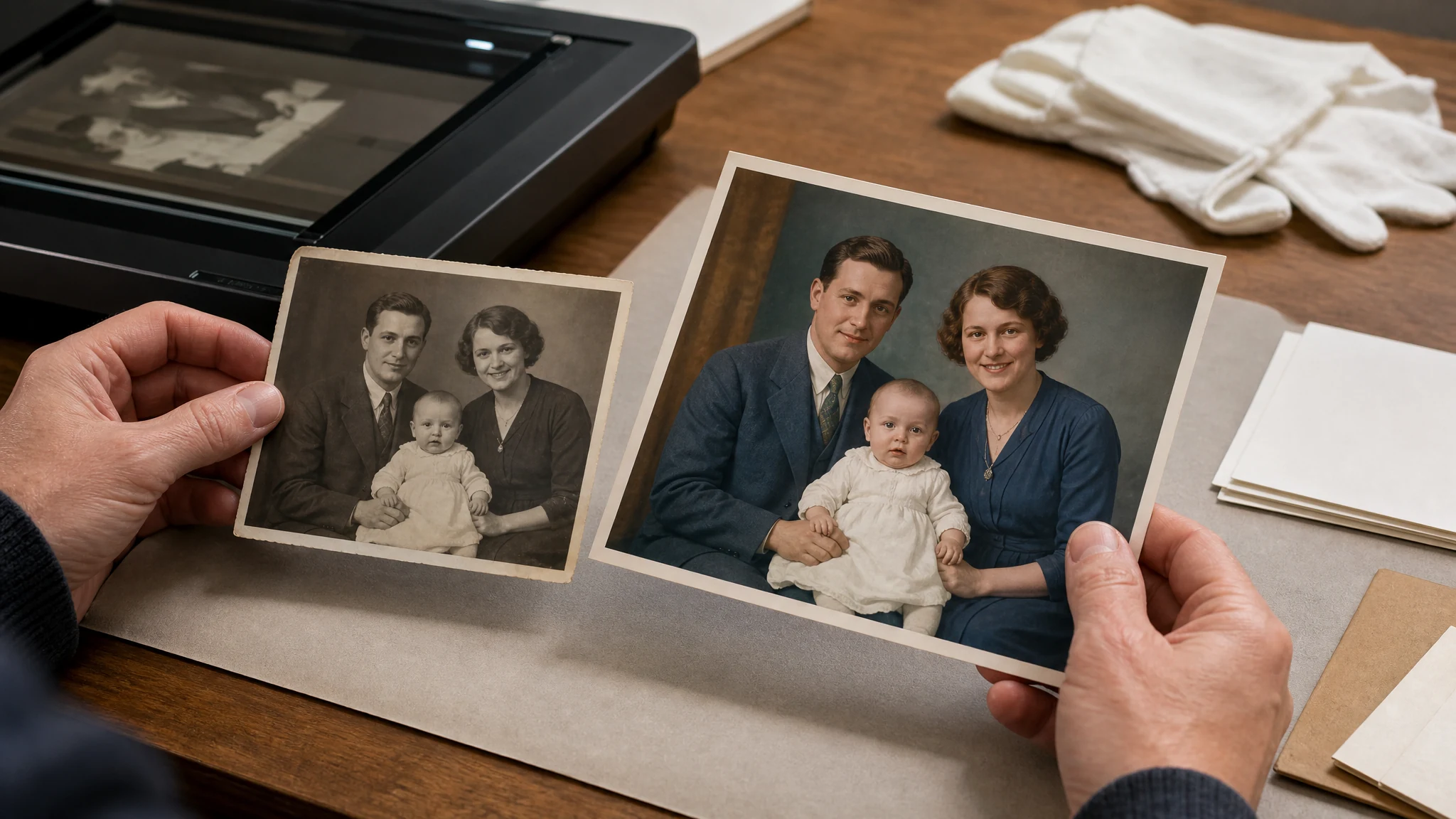
एक ब्लैक एंड व्हाइट, सेपिया या फीकी परिवार की फोटो अपलोड करें और एक उचित AI रंग व्याख्या बनाएं जिसे आप देख सकते हैं, डाउनलोड कर सकते हैं और साझा कर सकते हैं। परिणाम AI पुनर्निर्माण है, सत्यापित ऐतिहासिक सच्चाई नहीं, इसलिए मूल फोटो को रिकॉर्ड स्रोत के रूप में रखें।
दुनिया भर में 12,000,000+ उपयोगकर्ता भरोसा करते हैं।
वर्कफ़्लो सरल रखें: एक स्पष्ट पुरानी फोटो चुनें, AI रंग परिणाम उत्पन्न करें, फिर साझा करने से पहले कलराइज़्ड कॉपी देखें।
एक ब्लैक एंड व्हाइट, सेपिया या फीकी फोटो चुनें। स्पष्ट चेहरे, कपड़े और बैकग्राउंड डिटेल वाला साफ़ स्कैन आमतौर पर सबसे अच्छा काम करता है।
रंग भरने का टास्क शुरू करें और Face AI के उचित रंग व्याख्या बनाने के दौरान पेज खुला रखें।
परिवार या सहयोगियों के साथ डाउनलोड या साझा करने से पहले रंग विकल्प, पहचान-संवेदनशील डिटेल और संदर्भ देखें।
कलराइज़र का उपयोग व्यावहारिक पुरानी फोटो वर्कफ़्लो के लिए करें: परिवार आर्काइव, पोर्ट्रेट स्टोरीटेलिंग, सोशल शेयरिंग, रीस्टोरेशन प्लानिंग और क्रिएटिव रिव्यू कॉपी।
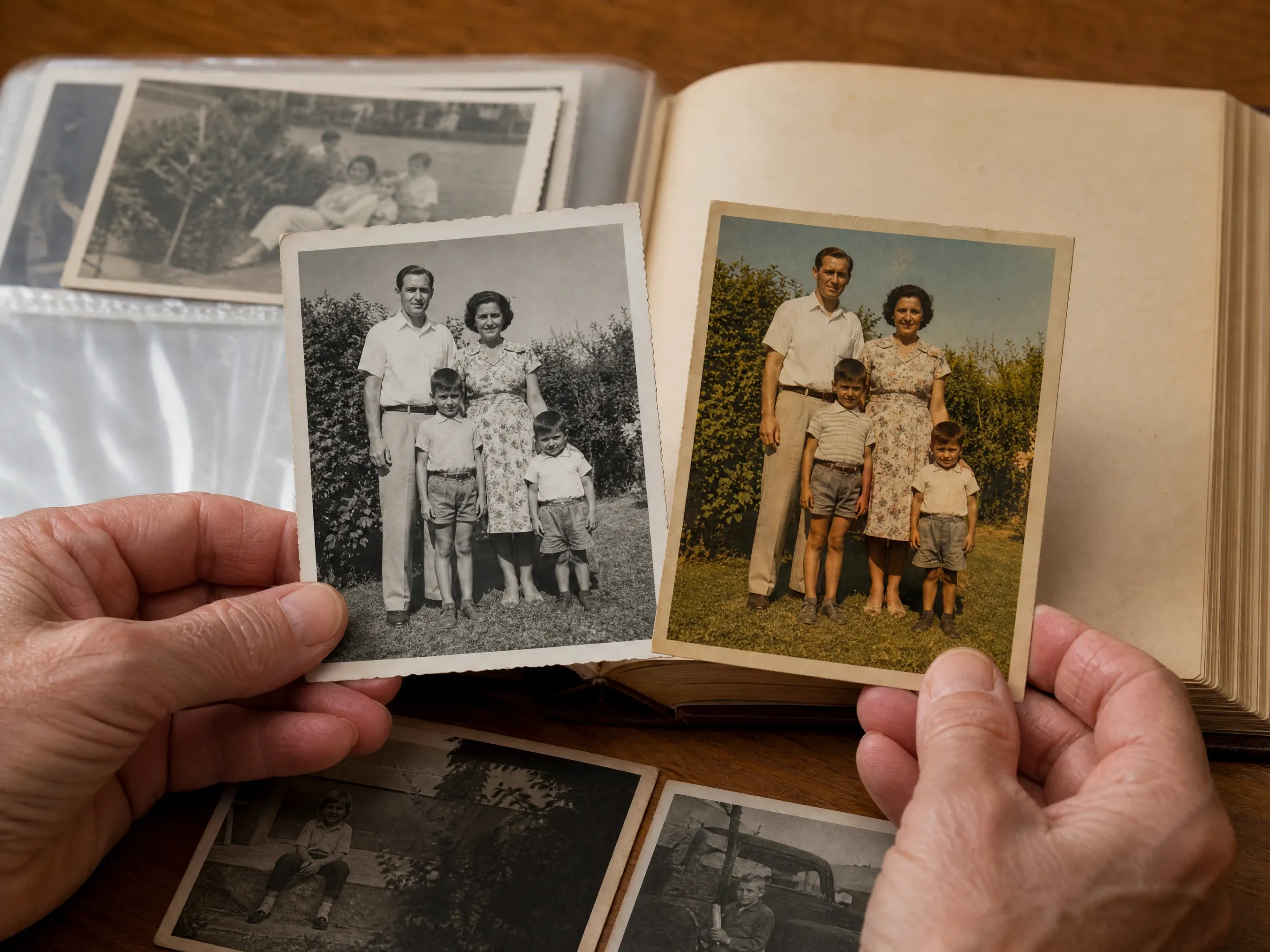
एल्बम की ब्लैक एंड व्हाइट फोटो को रिश्तेदारों के लिए गर्म रिव्यू कॉपी में बदलें, जबकि मूल फ़ाइल को अलग से रखें।
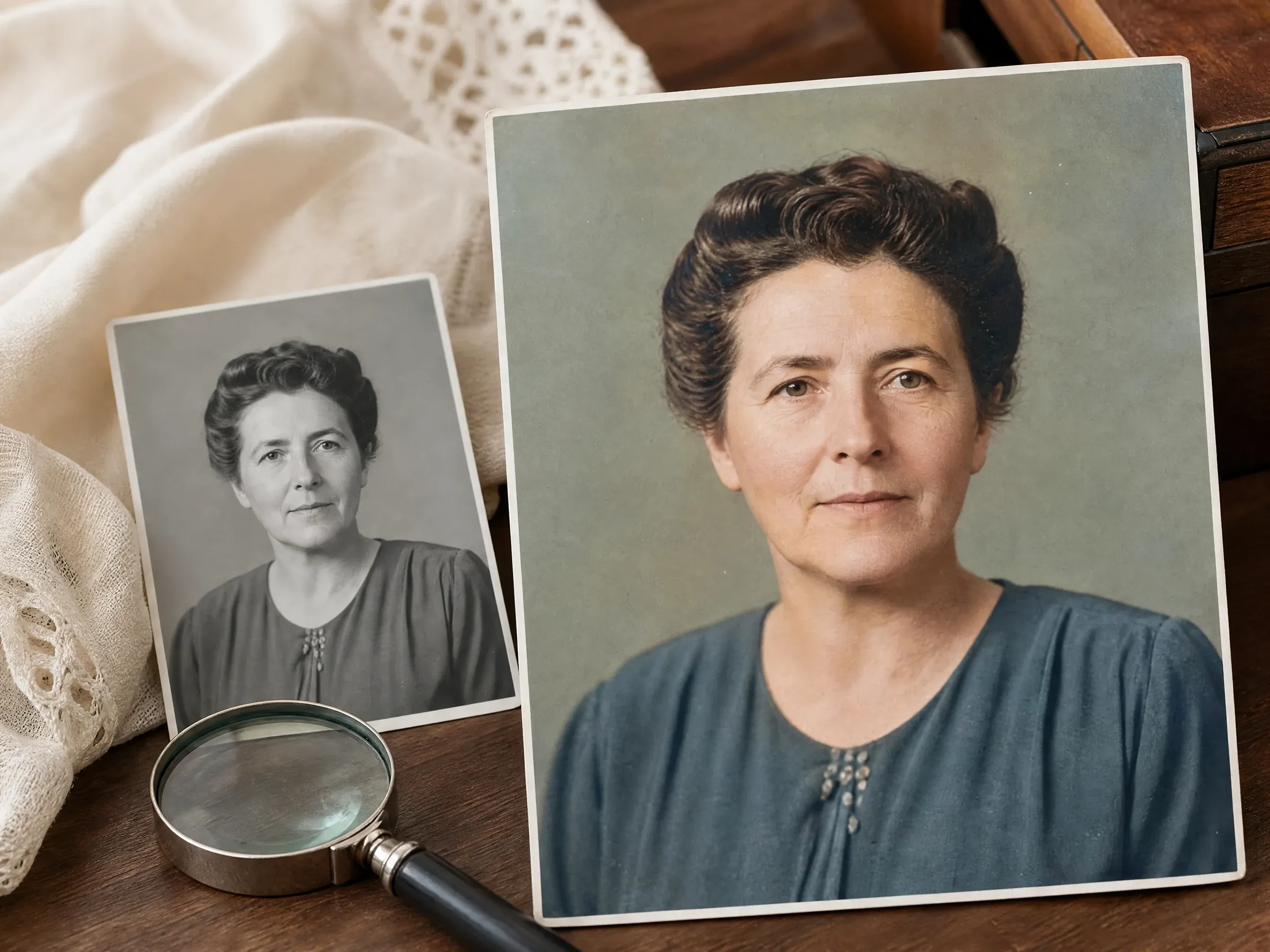
निजी रूप से साझा करने से पहले पुराने पोर्ट्रेट, ग्रेजुएशन फोटो, शादी की यादें या विरासत में मिले स्नैपशॉट में उचित रंग जोड़ें।
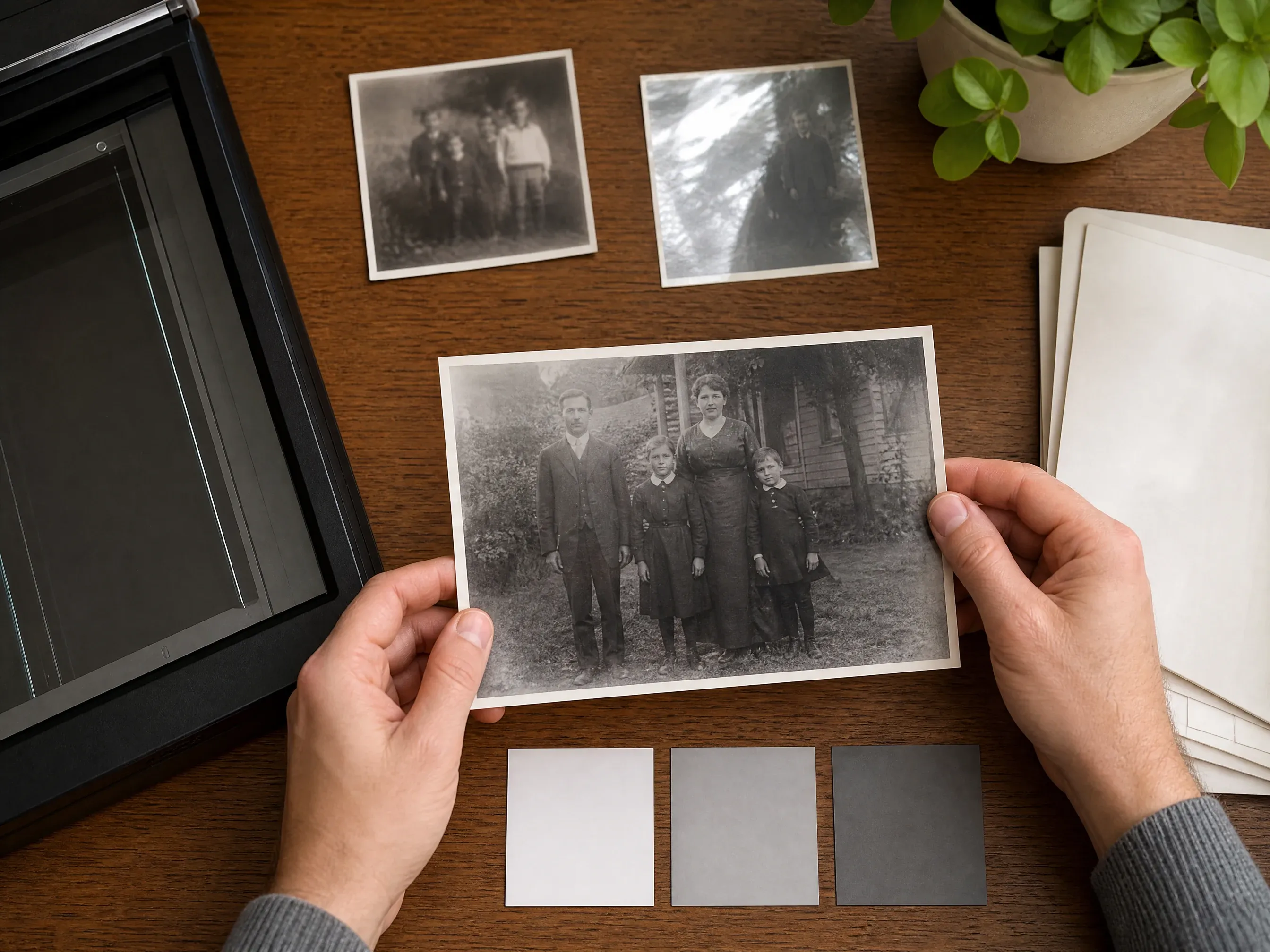
पहले रंग ड्राफ्ट बनाएं, फिर तय करें कि फोटो को स्पष्टता सुधार, अपस्केलिंग या मैनुअल रिपेयर की ज़रूरत है या नहीं।
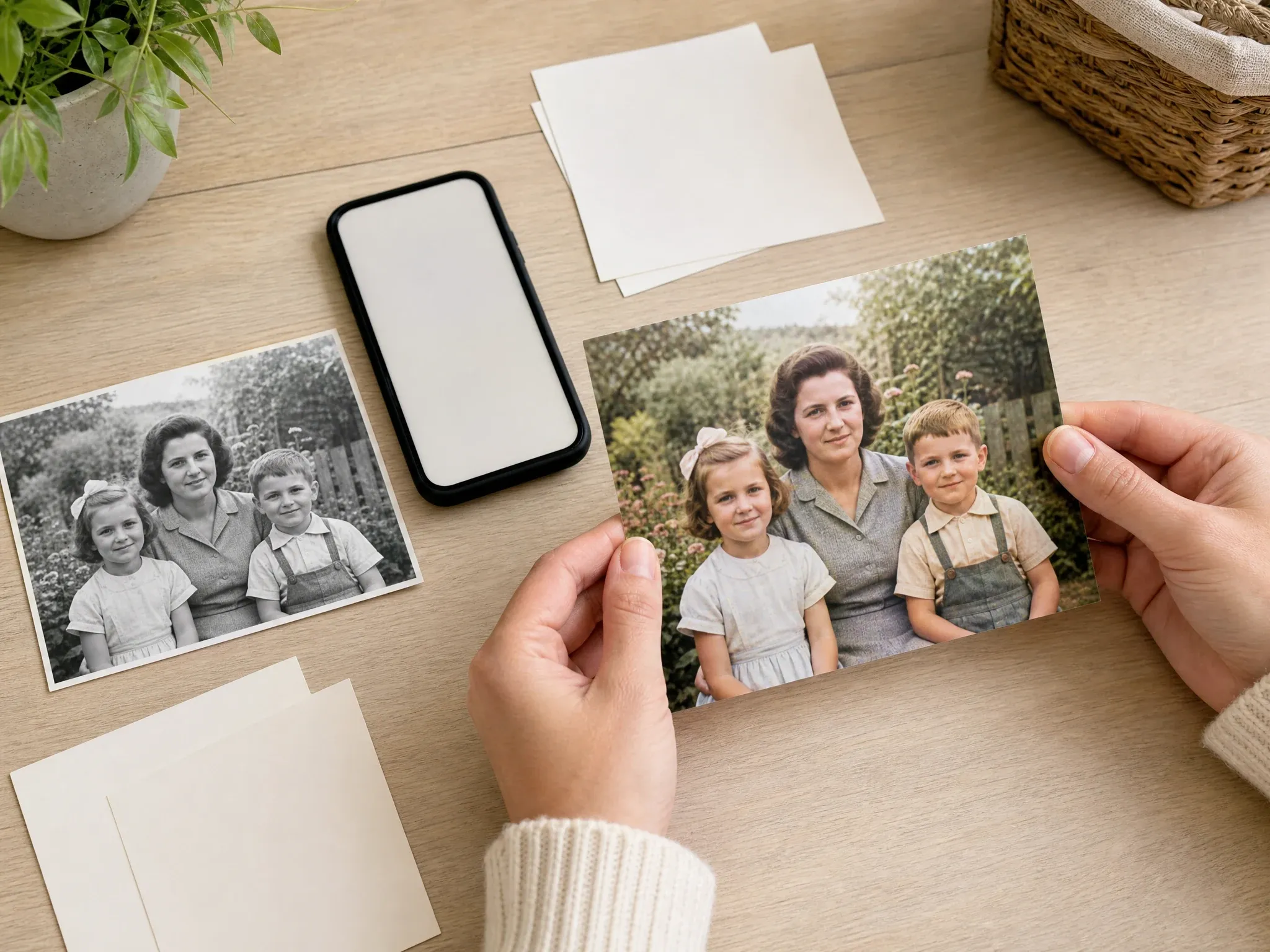
परिणाम जांचने के बाद परिवार चैट, निजी एल्बम, प्रेजेंटेशन या स्टोरीटेलिंग पोस्ट के लिए कलराइज़्ड कॉपी डाउनलोड करें।
AI फोटो कलराइज़र मोनोक्रोम या सेपिया सोर्स फोटो का विश्लेषण करता है और उचित रंग संस्करण उत्पन्न करता है। यह पुरानी फोटो को देखने में आसान बनाता है, लेकिन रंग विकल्प AI द्वारा अनुमानित होते हैं।
परिणाम भावनात्मक रूप से उपयोगी और दृश्य रूप से विश्वसनीय हो सकता है, लेकिन यह सटीक कपड़े, त्वचा, वस्तु या दृश्य रंगों का सत्यापित ऐतिहासिक रिकॉर्ड नहीं है।
साफ़ स्कैन, दिखाई देने वाले चेहरे और सरल रोशनी मॉडल को बहुत छोटे, चमकदार, तिरछे या बुरी तरह क्षतिग्रस्त इनपुट की तुलना में अधिक वास्तविक संदर्भ देते हैं।
रंग भरना मौजूदा फोटो में उचित रंग जोड़ता है। जब स्रोत में खरोंच, फटे कोने, दाग या लापता क्षेत्र भी हों, तो पहले रीस्टोरेशन वर्कफ़्लो उपयोग करें।
Face AI कलराइज़र को पहले रखता है, सोर्स फोटो मार्गदर्शन देता है, और सार्वजनिक वादे को केंद्रित एक-फोटो रंग भरने वाले वर्कफ़्लो के साथ जोड़े रखता है।
लंबी कॉपी पढ़ने से पहले फोटो अपलोड करें और टेस्ट करें। पेज वास्तविक रंग भरने वाले वर्कफ़्लो के इर्द-गिर्द बनाया गया है।
रंगीन परिणाम अपने इतिहास, डाउनलोड और साझा करने वाले फ्लो में रहते हैं, ताकि एनहांसर या अपस्केलर प्रयोगों के साथ मिश्रित न हों।
पेज स्पष्ट कहता है कि रंग अनुमानित है, ऐतिहासिक रूप से गारंटीकृत नहीं, ताकि परिवार और आर्काइव उपयोग जिम्मेदार रहे।
रंगीन इमेज को अभी किस चीज़ की ज़रूरत है, इसके आधार पर आगे एनहांसर, अपस्केलर, एडिटर या ओल्ड फोटो रीस्टोरेशन उपयोग करें।
रंग भरने की गुणवत्ता स्रोत पर निर्भर करती है। मॉडल को साफ़ फोटो दें, फिर आउटपुट उपयोग करने से पहले हर महत्वपूर्ण डिटेल देखें।
प्रिंट को समान रोशनी में सपाट स्कैन या फोटो बनाएं। चमक, एल्बम प्लास्टिक, मज़बूत छाया और तिरछे फोन कैप्चर से बचें।
अपलोड करने से पहले टेबल किनारे, एल्बम बॉर्डर, हस्तलिखित नोट और असंबंधित आसपास हटाएं।
साझा करने से पहले चेहरे, वर्दी, झंडे, उत्पाद, इंटीरियर और सार्वजनिक हस्तियों के संदर्भ को ध्यान से देखें।
यदि रंगीन परिणाम उपयोगी लेकिन हल्का हो, तो अलग स्पष्टता पास के लिए AI फोटो एनहांसर या AI इमेज अपस्केलर में भेजें।
असली समस्या से मेल खाने वाला वर्कफ़्लो चुनें। रंग भरना उचित रंग जोड़ता है; यह एन्हांसमेंट, क्षति रिपेयर या मानव आर्काइव रिव्यू की जगह नहीं लेता।
| मानदंड | Face AIहमारा Face AI रंग भरने वाला वर्कफ़्लो | अन्य फोटो वर्कफ़्लो |
|---|---|---|
| शुरुआती बिंदु | एक ब्लैक एंड व्हाइट, सेपिया या फीकी फोटो अपलोड करें और AI कलराइज़्ड परिणाम बनाएं। | रीस्टोरेशन पेज रिपेयर, एन्हांसमेंट, फेस फिक्स, रंग भरना और अपस्केलिंग को एक व्यापक सूट में जोड़ सकते हैं। |
| सबसे अच्छा उपयोग | परिवार एल्बम, पुराने पोर्ट्रेट, यादें साझा करना, स्टोरीटेलिंग विज़ुअल और पहला रंग ड्राफ्ट। | जब सटीक रंग, ब्रश रिपेयर, दाग या लापता क्षेत्र मायने रखते हैं, तो मैनुअल एडिटर अधिक मज़बूत होते हैं। |
| कंट्रोल | सोर्स अपलोड, परिणाम प्रीव्यू, इतिहास, डाउनलोड, साझा करना और व्यावहारिक गुणवत्ता मार्गदर्शन। | उन्नत कलराइज़र युग प्रिसेट, सैचुरेशन या प्रीमियम मॉडल कंट्रोल खोल सकते हैं जिन्हें अलग प्रोडक्ट सरफेस चाहिए। |
| सटीकता की सीमा | AI रंग उचित और व्याख्यात्मक है, सत्यापित ऐतिहासिक तथ्य नहीं। | कुछ पेज युग सटीकता का संकेत देते हैं जिसके लिए अभी भी मानव रिव्यू और स्रोत साक्ष्य चाहिए। |
| अगला कदम | जब कॉपी को साफ़ या अधिक केंद्रित फिनिश चाहिए, तो रंग भरने के बाद एनहांस, अपस्केल या एडिट करें। | एक-क्लिक फ्लो यह छिपा सकते हैं कि कौन सा ऑपरेशन उपयोगी या दोषपूर्ण परिणाम का कारण बना। |
एक ब्लैक एंड व्हाइट, सेपिया या फीकी फोटो अपलोड करें और AI कलराइज़्ड परिणाम बनाएं।
रीस्टोरेशन पेज रिपेयर, एन्हांसमेंट, फेस फिक्स, रंग भरना और अपस्केलिंग को एक व्यापक सूट में जोड़ सकते हैं।
परिवार एल्बम, पुराने पोर्ट्रेट, यादें साझा करना, स्टोरीटेलिंग विज़ुअल और पहला रंग ड्राफ्ट।
जब सटीक रंग, ब्रश रिपेयर, दाग या लापता क्षेत्र मायने रखते हैं, तो मैनुअल एडिटर अधिक मज़बूत होते हैं।
सोर्स अपलोड, परिणाम प्रीव्यू, इतिहास, डाउनलोड, साझा करना और व्यावहारिक गुणवत्ता मार्गदर्शन।
उन्नत कलराइज़र युग प्रिसेट, सैचुरेशन या प्रीमियम मॉडल कंट्रोल खोल सकते हैं जिन्हें अलग प्रोडक्ट सरफेस चाहिए।
AI रंग उचित और व्याख्यात्मक है, सत्यापित ऐतिहासिक तथ्य नहीं।
कुछ पेज युग सटीकता का संकेत देते हैं जिसके लिए अभी भी मानव रिव्यू और स्रोत साक्ष्य चाहिए।
जब कॉपी को साफ़ या अधिक केंद्रित फिनिश चाहिए, तो रंग भरने के बाद एनहांस, अपस्केल या एडिट करें।
एक-क्लिक फ्लो यह छिपा सकते हैं कि कौन सा ऑपरेशन उपयोगी या दोषपूर्ण परिणाम का कारण बना।
ये टिप्पणियां वास्तविक प्रक्रिया पर केंद्रित हैं: साफ़ पुरानी फोटो तैयार करें, उचित रंग उत्पन्न करें, परिणाम जांचें, फिर डाउनलोड करें या एडिटिंग जारी रखें।
"उपयोगी वादा रंग व्याख्या है, ऐतिहासिक प्रमाण नहीं। मैं साफ़ स्कैन अपलोड करता हूं, रंग देखता हूं और मूल को उसके बगल में रखता हूं।"

Mei Chen
E-commerce Director
"यह परिवारों को पुरानी ब्लैक एंड व्हाइट फोटो से जुड़ने में मदद करता है, जब तक हर कोई समझे कि रंग AI अनुमान हैं।"

Yuki Tanaka
Head of Marketplace Operations
"पेज व्यावहारिक है: एक पुरानी फोटो अंदर, रंगीन परिणाम बाहर, फिर चेहरे और कपड़े जांचने के बाद डाउनलोड या साझा करें।"

Jieun Park
Growth Marketing Lead
"मुझे दस्तावेज़ी उपयोग के आसपास स्पष्ट सीमा पसंद है। परिणाम सुंदर हो सकता है, लेकिन इसे सत्यापित आर्काइव रंग नहीं माना जाना चाहिए।"

Aaliyah Williams
Digital Marketing Director
"फीके पोर्ट्रेट के लिए, मैं अब भी पहले अलग से एनहांस या क्रॉप करता हूं। स्रोत स्पष्ट होने के बाद रंग भरना सबसे अच्छा काम करता है।"

Ananya Iyer
Content Marketing Lead
"वर्कफ़्लो हमें तेज़ परिवार-एल्बम ड्राफ्ट देता है, बिना खरोंच, दाग या लापता क्षेत्रों को ठीक करने का दिखावा किए।"

Mai Nguyen
Growth Marketing Lead
"उपयोगी वादा रंग व्याख्या है, ऐतिहासिक प्रमाण नहीं। मैं साफ़ स्कैन अपलोड करता हूं, रंग देखता हूं और मूल को उसके बगल में रखता हूं।"
Mei Chen
E-commerce Director
"यह परिवारों को पुरानी ब्लैक एंड व्हाइट फोटो से जुड़ने में मदद करता है, जब तक हर कोई समझे कि रंग AI अनुमान हैं।"
Yuki Tanaka
Head of Marketplace Operations
"पेज व्यावहारिक है: एक पुरानी फोटो अंदर, रंगीन परिणाम बाहर, फिर चेहरे और कपड़े जांचने के बाद डाउनलोड या साझा करें।"
Jieun Park
Growth Marketing Lead
"मुझे दस्तावेज़ी उपयोग के आसपास स्पष्ट सीमा पसंद है। परिणाम सुंदर हो सकता है, लेकिन इसे सत्यापित आर्काइव रंग नहीं माना जाना चाहिए।"
Aaliyah Williams
Digital Marketing Director
"फीके पोर्ट्रेट के लिए, मैं अब भी पहले अलग से एनहांस या क्रॉप करता हूं। स्रोत स्पष्ट होने के बाद रंग भरना सबसे अच्छा काम करता है।"
Ananya Iyer
Content Marketing Lead
"वर्कफ़्लो हमें तेज़ परिवार-एल्बम ड्राफ्ट देता है, बिना खरोंच, दाग या लापता क्षेत्रों को ठीक करने का दिखावा किए।"
Mai Nguyen
Growth Marketing Lead
"डाउनलोड और इतिहास कुछ पुरानी फोटो प्रयोगों की तुलना करना आसान बनाते हैं, इससे पहले कि तय करें किसे रखना उचित है।"

Marie Laurent
Storytelling & Brand Lead
"उपयोगी वादा रंग व्याख्या है, ऐतिहासिक प्रमाण नहीं। मैं साफ़ स्कैन अपलोड करता हूं, रंग देखता हूं और मूल को उसके बगल में रखता हूं।"
Mei Chen
E-commerce Director
"यह परिवारों को पुरानी ब्लैक एंड व्हाइट फोटो से जुड़ने में मदद करता है, जब तक हर कोई समझे कि रंग AI अनुमान हैं।"
Yuki Tanaka
Head of Marketplace Operations
"पेज व्यावहारिक है: एक पुरानी फोटो अंदर, रंगीन परिणाम बाहर, फिर चेहरे और कपड़े जांचने के बाद डाउनलोड या साझा करें।"
Jieun Park
Growth Marketing Lead
"मुझे दस्तावेज़ी उपयोग के आसपास स्पष्ट सीमा पसंद है। परिणाम सुंदर हो सकता है, लेकिन इसे सत्यापित आर्काइव रंग नहीं माना जाना चाहिए।"
Aaliyah Williams
Digital Marketing Director
"फीके पोर्ट्रेट के लिए, मैं अब भी पहले अलग से एनहांस या क्रॉप करता हूं। स्रोत स्पष्ट होने के बाद रंग भरना सबसे अच्छा काम करता है।"
Ananya Iyer
Content Marketing Lead
"वर्कफ़्लो हमें तेज़ परिवार-एल्बम ड्राफ्ट देता है, बिना खरोंच, दाग या लापता क्षेत्रों को ठीक करने का दिखावा किए।"
Mai Nguyen
Growth Marketing Lead
"डाउनलोड और इतिहास कुछ पुरानी फोटो प्रयोगों की तुलना करना आसान बनाते हैं, इससे पहले कि तय करें किसे रखना उचित है।"
Marie Laurent
Storytelling & Brand Lead
"हम इसे स्टोरीटेलिंग विज़ुअल के लिए उपयोग करते हैं, सबूत के लिए नहीं। जब फोटो वास्तविक पारिवारिक इतिहास से जुड़ी हो, तो यह अंतर मायने रखता है।"

Astrid Nielsen
Head of Thought Leadership
"साफ़ स्कैन हर बार चमकदार फोन स्नैपशॉट से बेहतर होता है। सोर्स टिप्स उम्मीदों को यथार्थवादी रखते हैं।"

Charlotte Beaumont
Director of Content Operations
"पेज इस बात पर ईमानदार रहता है कि रंग उचित है, गारंटीकृत नहीं। इससे सार्वजनिक उपयोग के लिए स्वीकृति बहुत आसान हो जाती है।"

Yifan Zheng
Demand Generation Lead
"सोर्स टिप्स उपयोगी हैं क्योंकि वे मुझे रंग भरने की कोशिश से पहले प्रिंट को ठीक से स्कैन करवाते हैं।"

Kai Nakamura
Global Creative Director
"मैं रिश्तेदारों के लिए एक गर्म कॉपी बना सकता हूं, जबकि ब्लैक एंड व्हाइट मूल को रिकॉर्ड के रूप में रखता हूं।"

Nina Volkov
Visual Design Director
"समर्पित कलराइज़र इतिहास इन प्रयोगों को एनहांसर और अपस्केलर काम से अलग रखता है।"

Rafael Santos
VP of Creative
"सबसे अच्छा हिस्सा रिव्यू चरण है। यह ग्राहकों को याद दिलाता है कि प्रकाशन से पहले AI रंग को मानवीय निर्णय चाहिए।"

Priya Chen
Creative Strategy Lead
"हम इसे स्टोरीटेलिंग विज़ुअल के लिए उपयोग करते हैं, सबूत के लिए नहीं। जब फोटो वास्तविक पारिवारिक इतिहास से जुड़ी हो, तो यह अंतर मायने रखता है।"
Astrid Nielsen
Head of Thought Leadership
"साफ़ स्कैन हर बार चमकदार फोन स्नैपशॉट से बेहतर होता है। सोर्स टिप्स उम्मीदों को यथार्थवादी रखते हैं।"
Charlotte Beaumont
Director of Content Operations
"पेज इस बात पर ईमानदार रहता है कि रंग उचित है, गारंटीकृत नहीं। इससे सार्वजनिक उपयोग के लिए स्वीकृति बहुत आसान हो जाती है।"
Yifan Zheng
Demand Generation Lead
"सोर्स टिप्स उपयोगी हैं क्योंकि वे मुझे रंग भरने की कोशिश से पहले प्रिंट को ठीक से स्कैन करवाते हैं।"
Kai Nakamura
Global Creative Director
"मैं रिश्तेदारों के लिए एक गर्म कॉपी बना सकता हूं, जबकि ब्लैक एंड व्हाइट मूल को रिकॉर्ड के रूप में रखता हूं।"
Nina Volkov
Visual Design Director
"समर्पित कलराइज़र इतिहास इन प्रयोगों को एनहांसर और अपस्केलर काम से अलग रखता है।"
Rafael Santos
VP of Creative
"सबसे अच्छा हिस्सा रिव्यू चरण है। यह ग्राहकों को याद दिलाता है कि प्रकाशन से पहले AI रंग को मानवीय निर्णय चाहिए।"
Priya Chen
Creative Strategy Lead
पुरानी फोटो को अभी किस चीज़ की ज़रूरत है, उसके आधार पर अगला Face AI टूल चुनें: स्पष्टता, रिज़ॉल्यूशन, केंद्रित एडिटिंग या अलग रीस्टोरेशन वर्कफ़्लो।
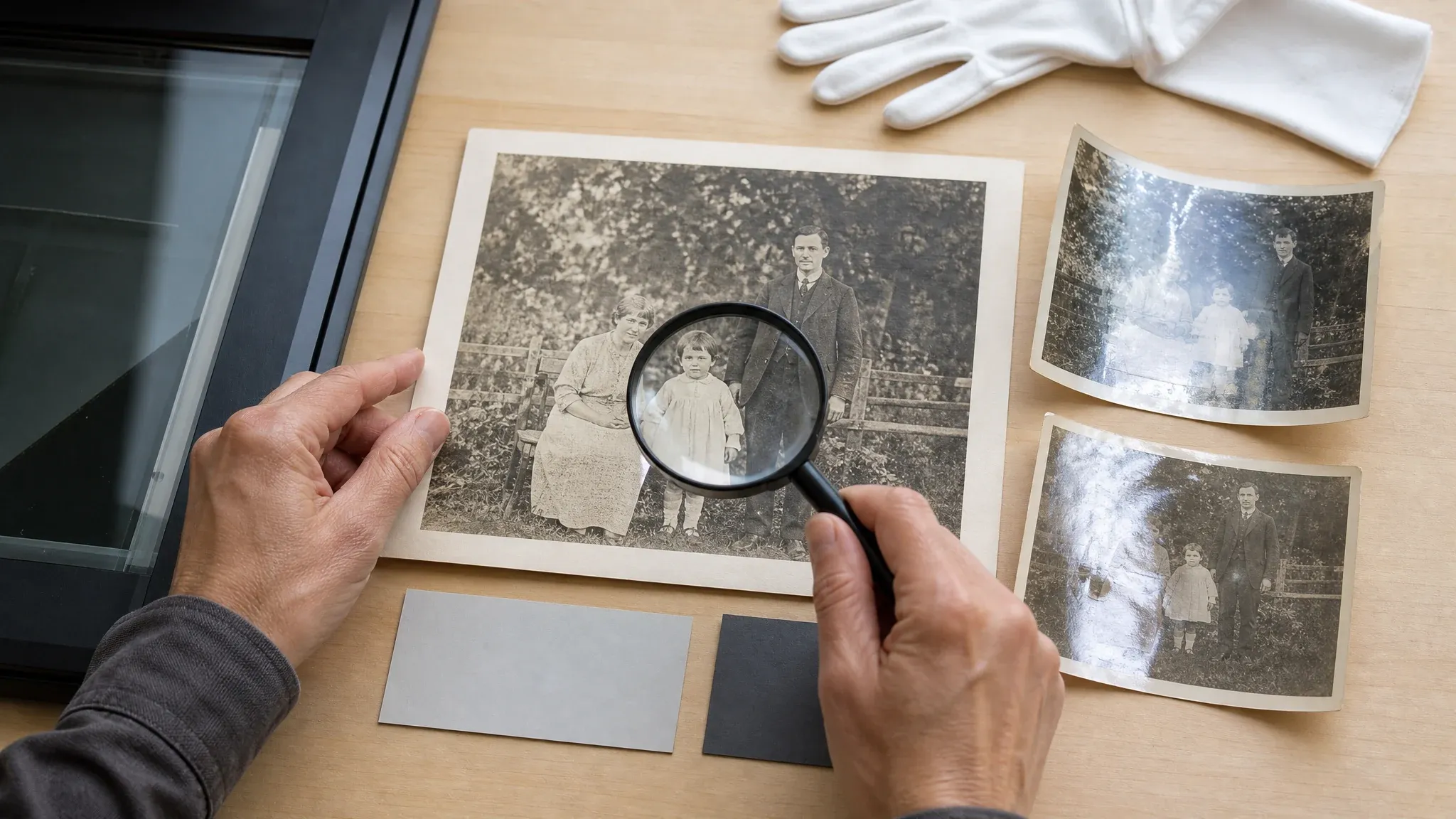
जब स्कैन फीका लेकिन फिर भी पढ़ने योग्य हो, तो रंग भरने से पहले या बाद में पुरानी फोटो की स्पष्टता बढ़ाएं।
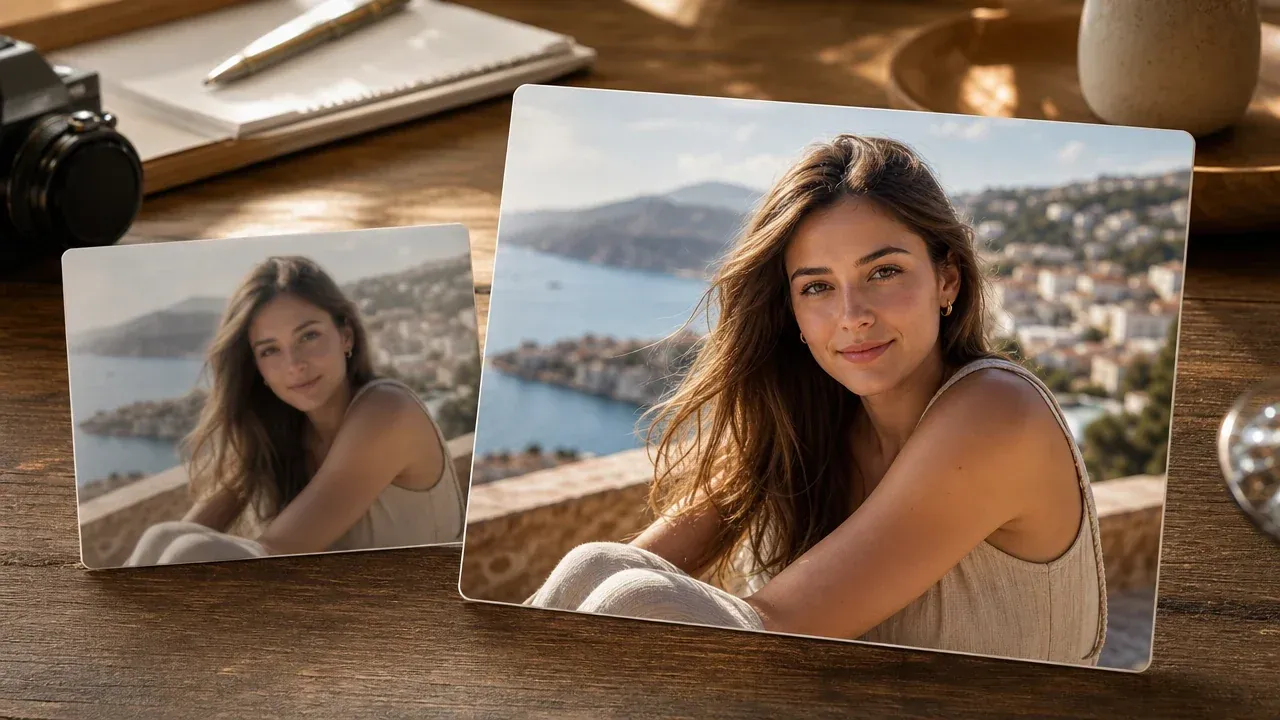
जब मुख्य समस्या रंग की कमी नहीं बल्कि नरमी, रिज़ॉल्यूशन या कंप्रेशन हो, तो व्यापक एनहांसर उपयोग करें।
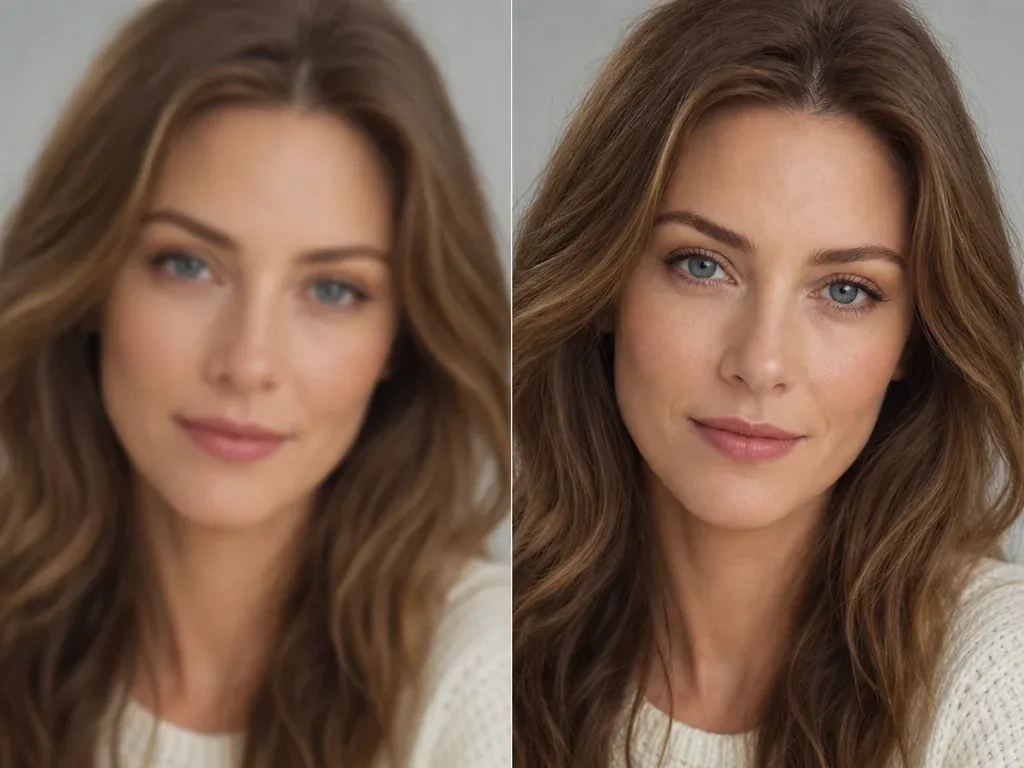
जब आपको डिस्प्ले या परिवार साझा करने के लिए बड़ी रिव्यू कॉपी चाहिए, तो रंगीन परिणाम को अपस्केल करें।

रंग भरने के बाद जब एक दिखाई देने वाली गड़बड़ी को अभी भी केंद्रित फिक्स चाहिए, तो एडिटर में जाएं।
ब्लैक एंड व्हाइट फोटो रंग भरने, सोर्स गुणवत्ता, ऐतिहासिक सटीकता, क्षति रिपेयर, साझा करने और अगले कदमों के बारे में सीधे उत्तर।
यह एक ब्लैक एंड व्हाइट, सेपिया या फीकी सोर्स फोटो लेता है और रिव्यू, डाउनलोड और साझा करने के लिए एक उचित रंगीन छवि उत्पन्न करता है।
एक सोर्स फोटो अपलोड करें, रंग भरने का टास्क शुरू करें, परिणाम का इंतज़ार करें, फिर डाउनलोड करने से पहले रंगीन छवि जांचें।
दिखाई देने वाले चेहरे और डिटेल वाली साफ़ JPG, PNG या WebP सोर्स उपयोग करें। सपाट स्कैन और समान रोशनी वाले फोन कैप्चर आमतौर पर तिरछी या चमकदार फोटो से बेहतर काम करते हैं।
कोई भी AI कलराइज़र अकेले मोनोक्रोम इमेज से सटीक ऐतिहासिक रंग सत्यापित नहीं कर सकता। परिणाम को उचित व्याख्या मानें, तथ्यात्मक आर्काइव साक्ष्य नहीं।
यह पेज मौजूदा इमेज में रंग जोड़ता है। जब खरोंच, फटन, दाग और लापता क्षेत्रों की रिपेयर भी ज़रूरी हो, तो रंग भरने से पहले उन्हें ठीक करें।
अतिरिक्त सावधानी बरतें। AI रंग विकल्पों को सत्यापित तथ्यों के रूप में प्रस्तुत न करें, और ऐसे भ्रामक उपयोगों से बचें जहां सटीक रंग अर्थ बदल सकता है।
हां। परिणाम आते ही डाउनलोड और साझा करने की क्रियाओं का उपयोग करें, और संदर्भ के लिए मूल फोटो की एक कॉपी रखें।
यदि स्रोत बहुत नरम है, तो पहले सबसे साफ़ स्कैन तैयार करने की कोशिश करें। आप परिणाम को बाद में अलग चरण के रूप में भी एनहांस या अपस्केल कर सकते हैं।
हां। ऐसी फोटो उपयोग करें जो आपकी हों या जिन्हें प्रोसेस करने की अनुमति हो, खासकर जब निजी परिवार सदस्य, सार्वजनिक हस्तियां या संरक्षित सामग्री दिखाई दे रही हो।
साफ़ सोर्स फोटो से शुरू करें, उचित AI रंग उत्पन्न करें, फिर साझा करने से पहले परिणाम जांचें और डाउनलोड करें।